 reelmint
Learn ReelMint in 18 short videos
Minty walks through every studio, about a minute each: text to video, images, anime, characters, talking photos, speech, voices, music, the editor, Mint Moments, publishing, bots, and going live. Watch them in order or jump to the one you need.
 1:44 min01
Website tour: what is ReelMint
A tour of ReelMint with Minty: generate AI videos, images and music, edit them, and publish to YouTube, TikTok, Instagram, Facebook and X from one studio.
 1:39 min02
How to turn text into a video
Type a sentence, pick a model like Seedance 2.5 or Kling 3, choose the length and resolution, and get a finished AI video clip.
 1:19 min03
How to generate images from text
Make stills with Nano Banana, Seedream and the other image models: prompts, sizes, styles and how many credits an image costs.
 1:09 min04
How to edit an image with AI
Change, restyle or extend a picture with a prompt: image-to-image editing in ReelMint, step by step.
 1:16 min05
How to animate a photo into a video
Turn one picture into a moving clip: the photo locks the face, the outfit and the place, the prompt sets the motion.
 1:07 min06
How to restyle a video with a prompt
Video-to-video in ReelMint: upload a clip, describe the new look, and keep the motion while everything else changes.
 1:21 min07
How to make an anime clip from text
The Anime Studio: a prompt becomes a cast, character sheets, a shot list and a finished anime reel.
 58 s08
How to create reusable characters
Build a character once, with a look and a voice, and cast it in every video, film and bot afterwards.
 1:17 min09
How to make a photo talk
Talking Photo: a portrait, a script or an audio track, and the picture speaks with synced lips.
 1:11 min10
How to generate speech from text
Text to speech in ReelMint: pick a voice, type the line, choose the language, and download or drop it into a video.
 48 s11
How to clone your voice
The Voice Studio: record a sample, clone your voice, and speak any line in any video in your own voice.
 1:07 min12
How to generate music and songs
Music in ReelMint: a full song with vocals from a prompt, or a soundtrack for a video, and how it is priced.
 54 s13
How to edit videos in ReelMint
The Video Edit studio: clips, pictures, voiceovers and music on a timeline, trimmed and exported to your library.
 1:09 min14
How to turn photos into a film with Mint Moments
Up to 15 photos, a mood and a length become one scored vertical film, with nothing else to configure.
 1:17 min15
How to connect channels and auto-post
Connect YouTube, TikTok, Instagram, Facebook and X once, then publish or schedule any video to all of them in one click.
 1:06 min16
How to run a bot that posts every day
Bot Studio: a standing recipe that generates a video on a schedule and posts it to your channels while you sleep.
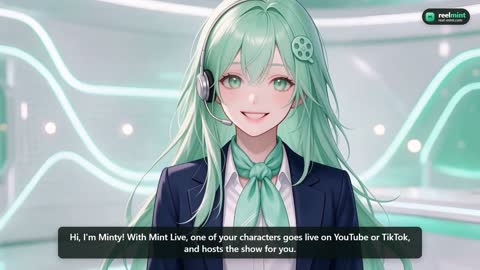 49 s17
How to go live with an AI character
Mint Live: a character goes live on YouTube or TikTok, hosted by the AI in its own voice, answering the chat.
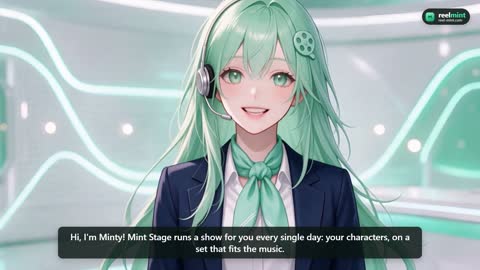 1:02 min18
How to run a show that airs itself with Mint Stage
Mint Stage: a cast, a set and a schedule, and a show that writes, films and streams itself day after day.
Try it yourself
Lite is $9.99 a month for 800 credits with free usage of every AI model, enough to follow the first few videos end to end. Every plan is charged on subscribe and unlocks every model, no restrictions on which one you pick.
Create your account